Returns
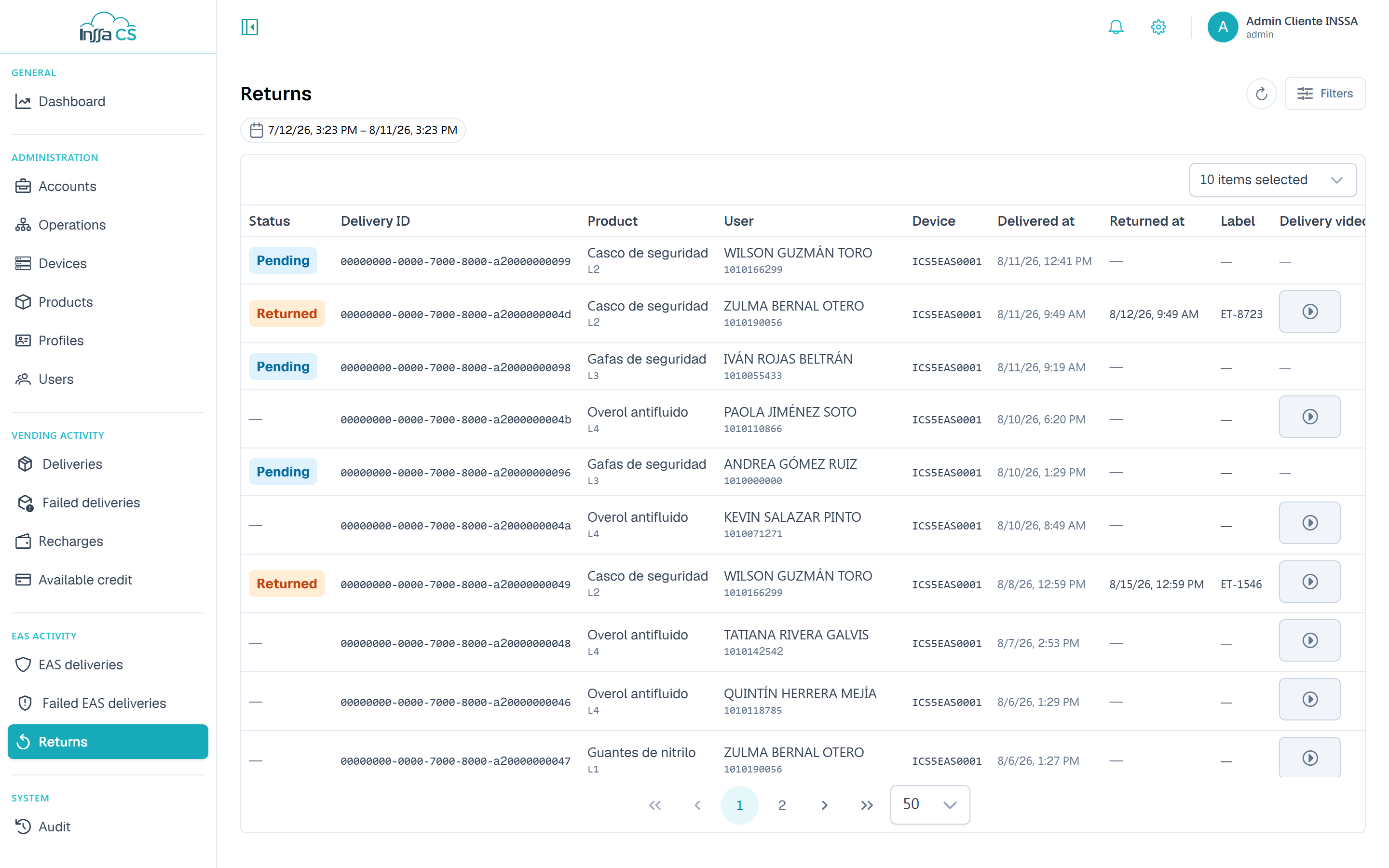
Pairs each delivery of a returnable product with its return. This is the screen for knowing what is still out.
Columns
| Column | What it shows |
|---|---|
| Status | Returned or pending. |
| Delivery ID | The original delivery transaction. |
| Delivered at / Returned at | Both ends of the cycle. |
| Product / User / Device | What, who and where. |
| Label | Item identifier, when the flow uses one. |
| Evidence required | Whether the flow demands video. |
| Delivery video | Evidence recorded on delivery. |
| Return video | Evidence recorded on return. |
They are two distinct videos: one for the delivery, one for the return. Each opens with View evidence; the link is temporary and states its expiry. Without a recording, the app says the return has no evidence.
Where "returnable" comes from
From the product (EAS attributes): Returnable and, optionally, Restrict delivery so no further unit is issued while one is pending. See Products.
Typical uses
- Review pending items per operation before a closing or an audit.
- Verify a disputed return on video.
- Spot products flagged returnable that in practice never come back.