EAS deliveries
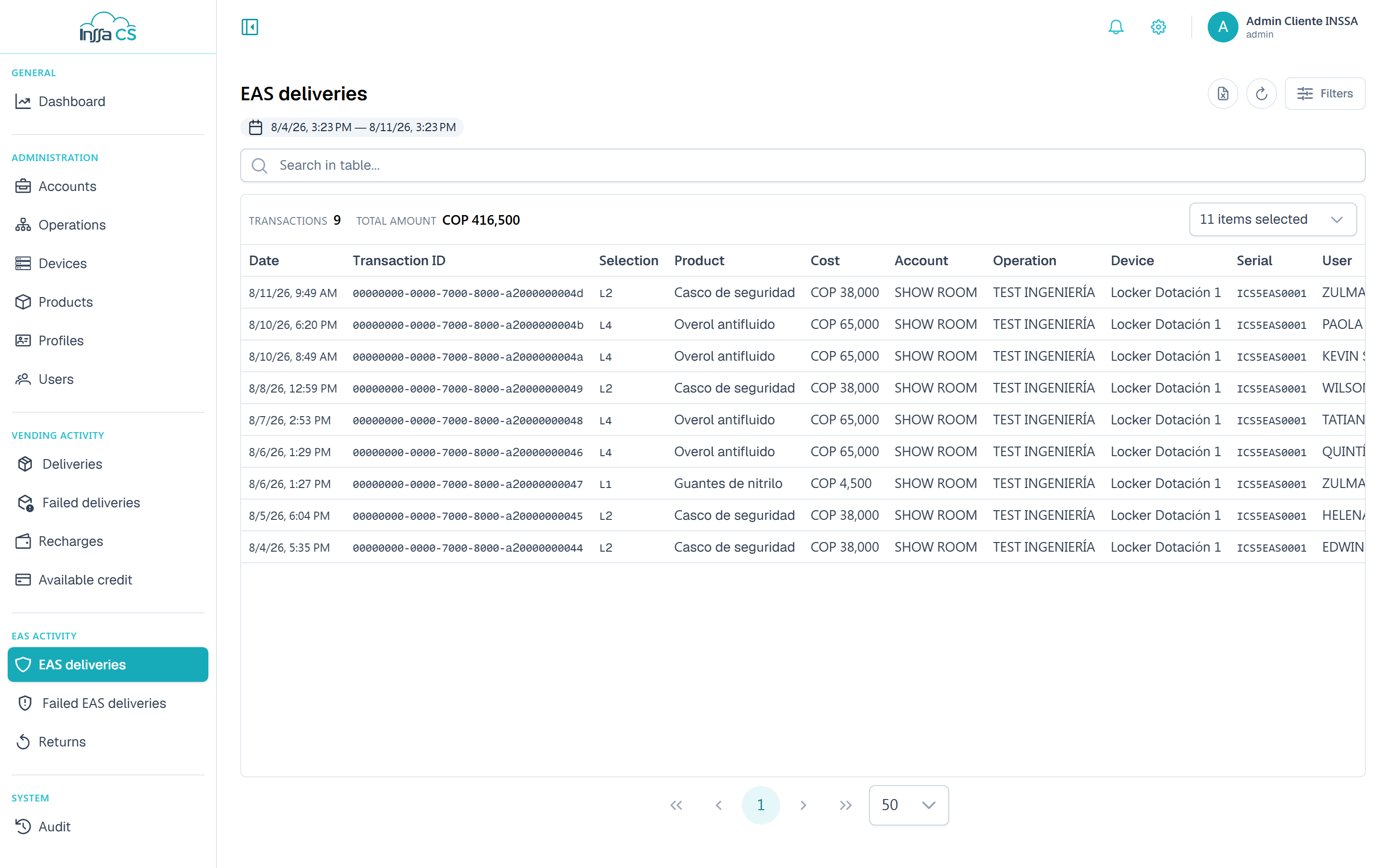
Deliveries of the EAS line: kit and equipment, to users and with tickets. There is no charge, so money columns do not apply; what matters is what was issued, to whom, and whether it came out. On a ticket delivery, the User column shows the ticket (ticket icon, its name and its code).
Summary
| Card | What it shows |
|---|---|
| Transactions | Every delivery, delivered and failed. |
| Delivered · Failed | How many of each, and what percentage of the total they are. |
Transactions, Delivered and Failed are also the status filter: tap them to see all, only delivered or only failed. See Failed deliveries to read their reasons.
Columns
Date, transaction ID, Status (Delivered or Failed), Description, product, selection, cost, account, operation, device, device serial, controller serial, user, identification, code type, Ticket code, Ticket (its name), the unit Serial and Evidence. Columns also offers one column per user tag found in the loaded deliveries. Description, Account and Operation start hidden: turn them on from Columns.
Filters
Date range (Today · Last 7 days · Last 30 days · This month · custom), account, operation, device (searchable by name or serial) and User id.
The Search in table... box filters the rows already loaded by ID, product, selection, product code, account, operation, device, user, identification or tags.
Video evidence
When the device records the delivery, the Evidence column offers View evidence: it opens the delivery video. Links are temporary and show their expiry.
Returns
This table does not list returns: to know what is still out and see the delivery ↔ return pairing with both videos, use Returns.
Export
Export Excel with the applied filters and status. See Export.