Inventory and planogram
The planogram is the machine's slot map: which product sits at each selection and how many units. The inventory is the loaded state of those slots.
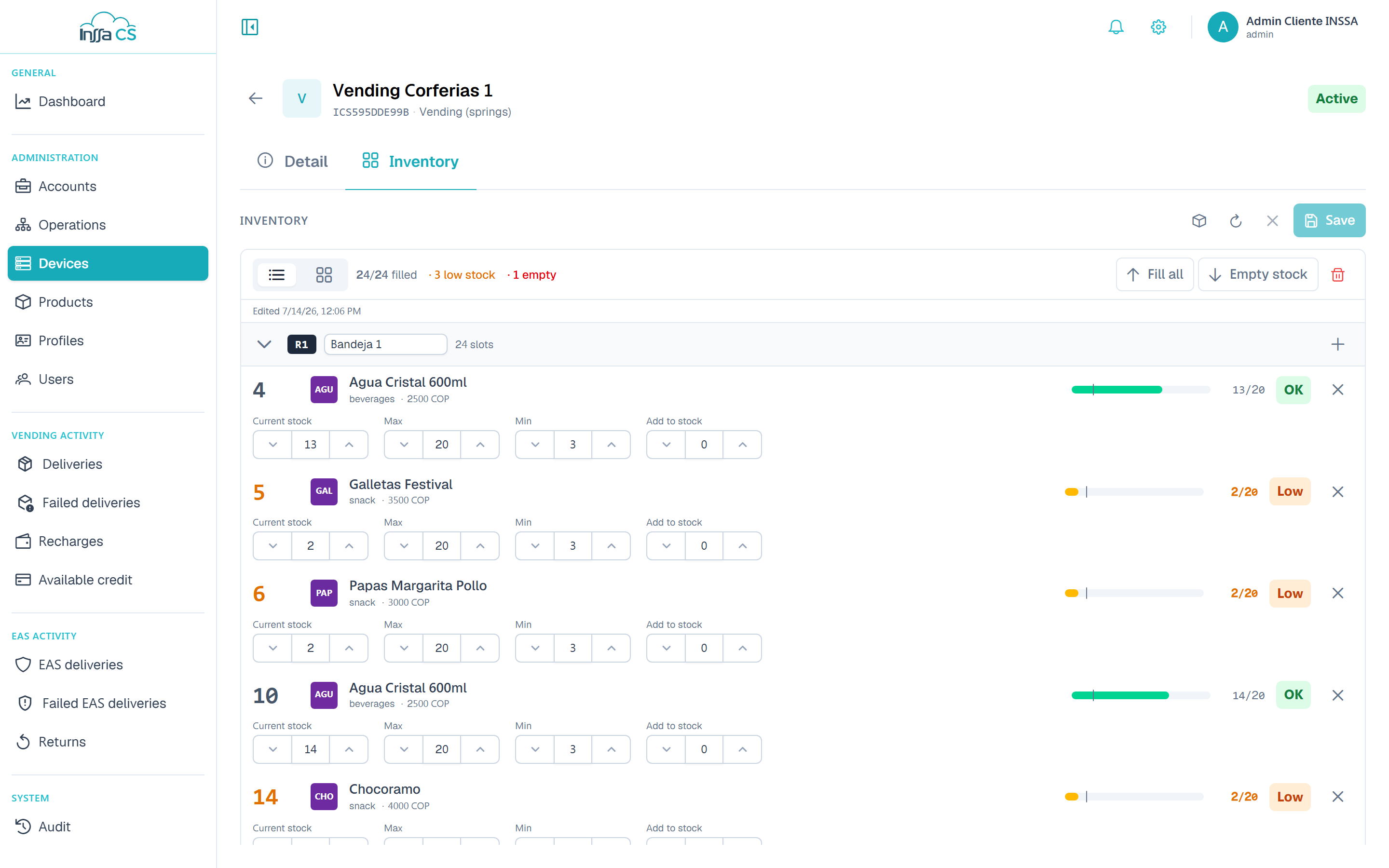
What you see
- Rows with their slots. Each row has a capacity (max slots; empty = no limit) and can be collapsed.
- Each slot shows its selection, product, current quantity and status: OK, Low (below the minimum) or Out of stock.
- Stats at the top: filled, empty and low-quantity slots.
- Edited / by: who last touched the inventory.
- A side catalogue with the account's products and a search box.
The Slots (tiles) and List views show the same data at different densities. In tile view each slot carries a ⋮ More options menu with its actions; in list view the quantity fields are laid out in the open. The Catalogue button shows or hides the product panel, and the left arrow closes the inventory and returns to the detail.
Loading a product into a slot
- Click a product in the catalogue: it becomes Selected.
- Tap an empty slot to assign it.
- Open the slot (Edit slot) to adjust quantities.
In the slot editor:
| Field | Meaning |
|---|---|
| Selection | The code the user keys on the machine. Uppercase letters and digits only, max 8. Unique in the planogram. |
| Current quantity | Units loaded right now. |
| Max quantity | Physical capacity of the slot. |
| Min quantity | Alert threshold: below it the slot shows Low. |
| Add quantity | Adds units on save (quick restock). |
Remove frees the slot (leaves the product unassigned).
The slot says The price is set by the device; it cannot be edited here: cashless vending charges the price the machine reports.
Toolbar
| Action | What it does |
|---|---|
| Add slot / Add row | Grows the planogram structure. |
| Remove last row | Shrinks the structure. |
| Toggle width (1u ↔ 2u) | Double slots for wide products. |
| Fill all | Sets quantity to max in every slot with a product. |
| Empty quantity | Sets everything to 0; keeps assigned products. |
| Clear all | Removes product and quantity from every slot. |
| Discard | Drops unsaved changes. |
| Reload | Refetches the planogram from the server. |
The last four ask for confirmation. While changes are pending you see Unsaved changes; Save applies them.
Frequent cases
- Row full: raise its capacity or delete slots (The row is full: increase or clear its capacity).
- Duplicate selection: That selection already exists. Selections are unique per machine.
- No planogram: EAS return modules and virtual machines have no trays, so no planogram.
Inventory panel on the machine
Whoever restocks can open the inventory panel on the machine itself with their device code (4 to 20 characters, unique per client). It is assigned in Operators or in My profile.